Capture Any Invoice Format, Then Recognize and Match It in Oracle
Suppliers send PDFs, scans, photos, XML and EDI. Accepting them is easy. Turning every one into accurate, Oracle-matched invoice data without AP retyping it is the real job.
Format should not slow AP down
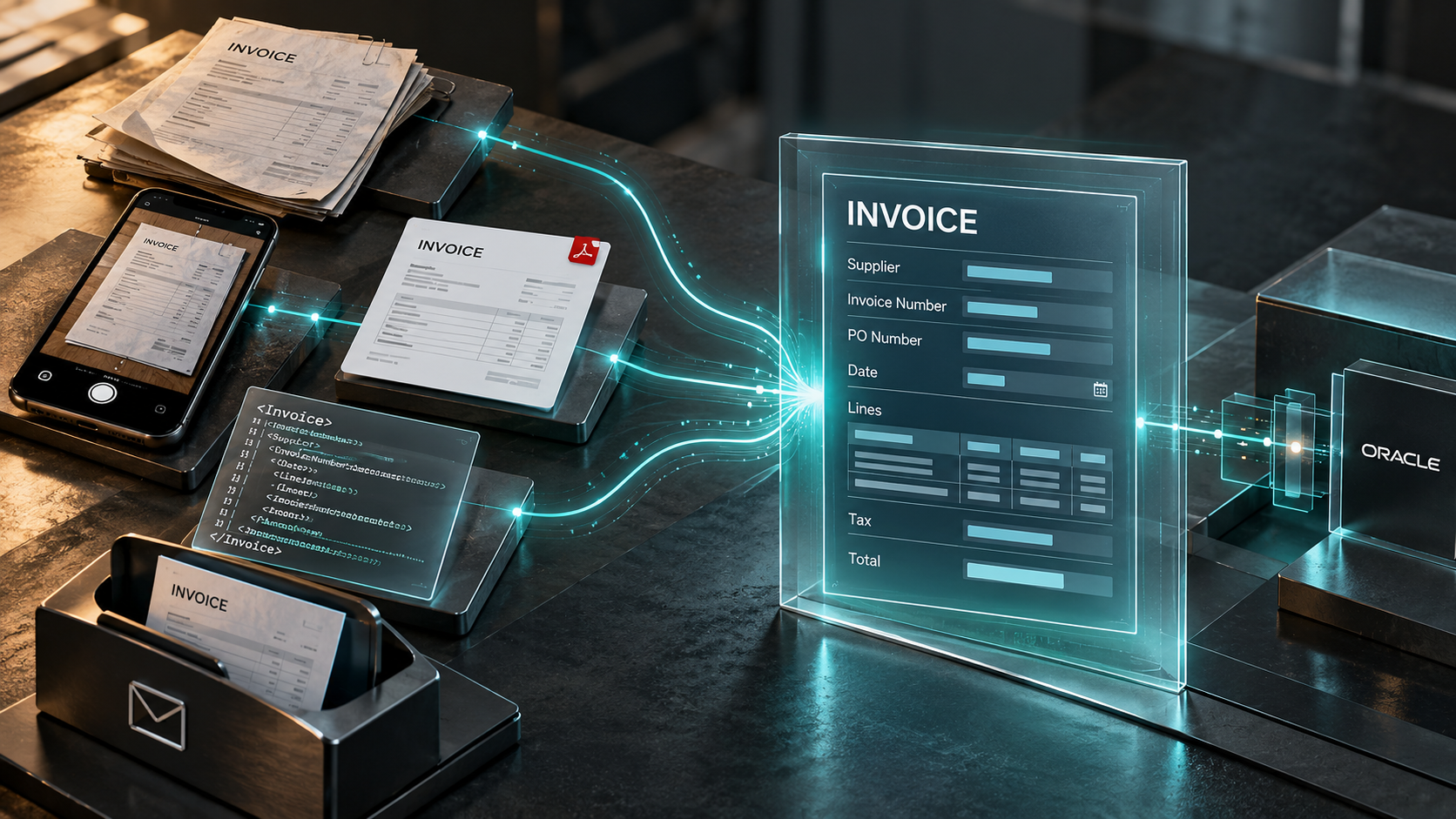
Invoices do not arrive in one neat, standardised format. On any given morning an AP inbox holds emailed PDFs, scanned paper, phone photos of invoices, image attachments, and structured XML or EDI files from larger suppliers. Each one is a valid invoice. Each one looks different to a system.
The problem is not accepting those documents. Most tools will accept them. The problem is turning every one of them into accurate invoice data that can be validated and matched in Oracle without someone in AP retyping it, correcting it or chasing the supplier for a cleaner copy.
Capture any format
Mi Invoices captures supplier invoices from the sources and formats suppliers actually use:
- PDF invoices received by email
- Scanned paper invoices
- TIFF, JPG and other image attachments
- XML and EDI invoices
- Invoices delivered by file transfer
Not every format carries the same amount of work.
| Format | How the data is read | What decides accuracy |
|---|---|---|
| System-generated PDF | Readable text layer, read directly | Whether it is the original file or a scanned printout |
| Scanned or photographed invoice | No text layer, goes through OCR | Image quality: resolution, cropping and markings |
| XML or EDI | Structured data, skips document reading | Validation against Oracle is still required |
Capture handles the first problem: getting the invoice in. It does not, on its own, tell you whether the invoice is correct.
Recognize and match, not just capture
Capturing a file is only the first step. The step that removes manual work is recognising what is on the invoice and checking it against what Oracle already knows.
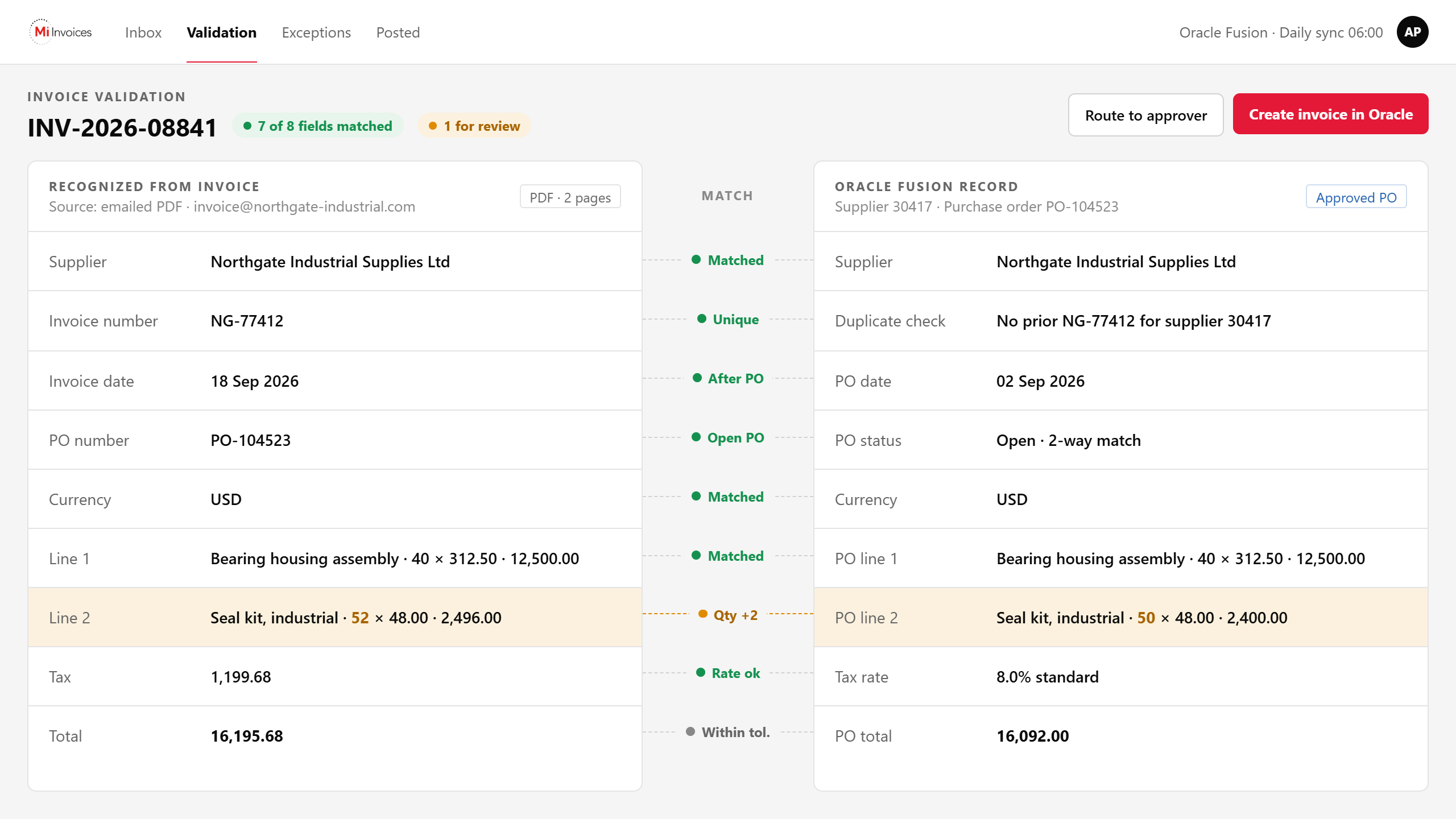
Mi Invoices recognises the key fields on a supplier invoice: supplier, invoice number, invoice date, PO number, line detail, tax, currency and totals, across the header, footer and line items. It then validates that information against your Oracle ERP data, including supplier records, purchase orders, PO lines and receipts.
For PO-backed invoices this is the whole point. Before an invoice moves forward, AP needs confidence that it belongs to the right supplier and the right purchase order, and that the quantities and amounts agree with what was ordered and received.
The sequence looks like this:
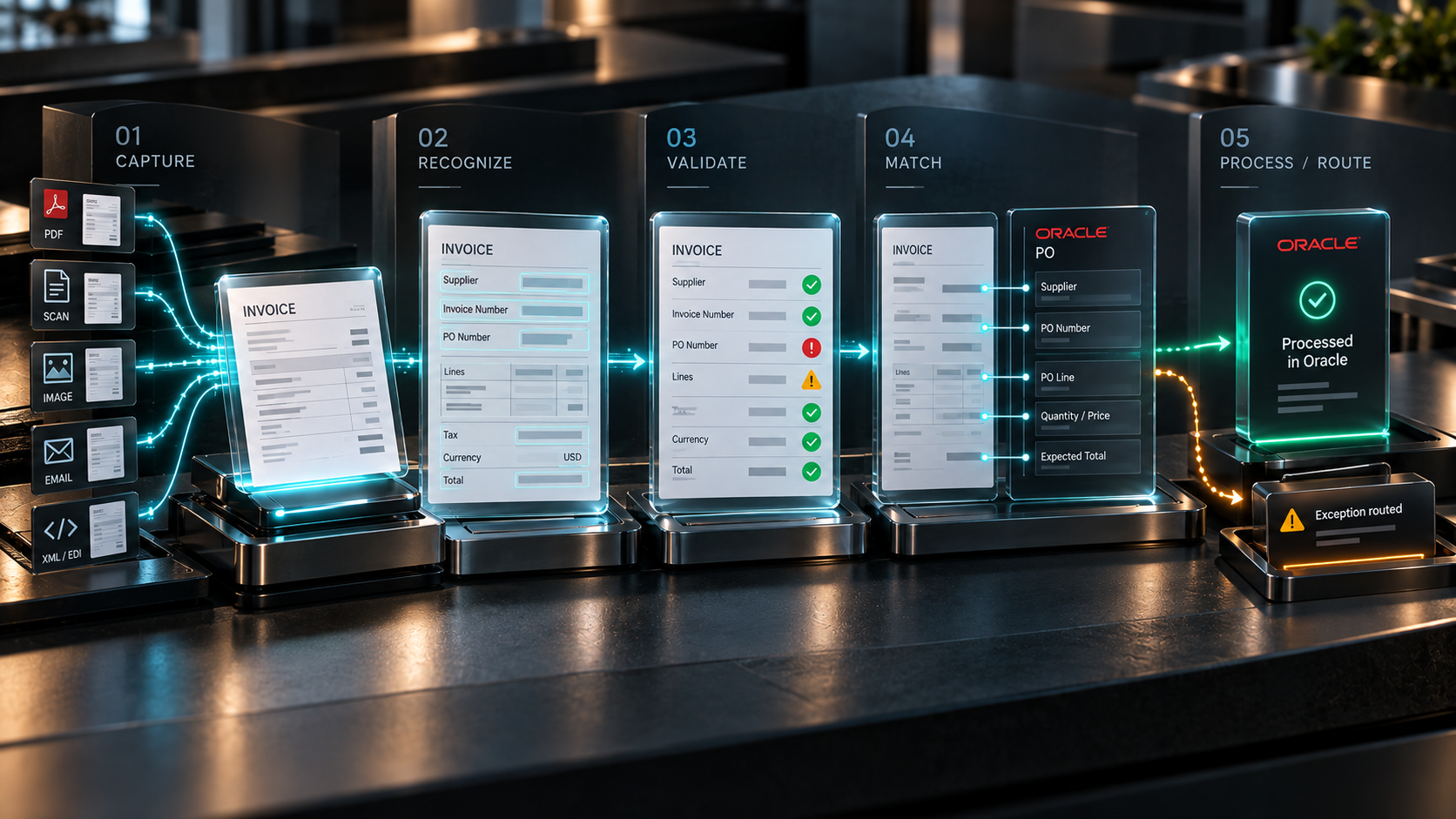
When the invoice data matches Oracle, the invoice moves through the process with little or no AP intervention. When it does not match, Mi Invoices routes the exception for review with the reason attached. The invoice does not disappear into a shared mailbox and surface three weeks later as a late-payment query.
Why file quality still matters
Automation accepts many formats. Cleaner supplier documents still produce a smoother process, and a few supplier habits make a measurable difference:
That last point is about more than extraction. An editable invoice can be changed after the supplier sends it, by anyone who opens it, and you cannot prove it was not.
Scan quality, resolution, handwriting and document markings all affect OCR accuracy. Arcivate's guidance on image quality covers the detail if you want to brief suppliers properly.
The AP outcome
The goal was never to accept more file types. The goal is less manual invoice entry, shorter processing time, better matching rates, and an AP team that spends its time on the invoices that actually require judgement rather than on every invoice that arrives.
Mi Invoices supports Oracle Fusion Cloud and Oracle E-Business Suite teams with invoice capture, data recognition, Oracle validation, PO matching, workflow, exception handling and supplier communication, connected directly to Oracle with no middleware.
Invoice capture and PO matching in Oracle ERP
What invoice formats does Mi Invoices support?
Mi Invoices captures PDF invoices, scanned paper invoices, TIFF and JPG images, XML and EDI files, and invoices delivered by file transfer.
Does Mi Invoices use OCR?
Yes. OCR is used for scanned and photographed invoices that do not contain a readable text layer.
What does Mi Invoices validate against in Oracle?
Mi Invoices validates recognised invoice information against Oracle supplier records, purchase orders, purchase order lines and receipts.
Can Mi Invoices process non-PO invoices?
Mi Invoices supports invoice capture, validation, workflow and exception handling for Oracle ERP. PO-backed invoices can also be matched against purchase orders, lines and receipts.
Are your invoice formats creating manual AP work?
See how Mi Invoices captures, recognises and matches supplier invoices for Oracle ERP.